Reviews and the hiring decision
Review the consolidated interview summary once every round has passed, then accept or reject to move the candidate to HR Accept and into the Onboarding Suite.
2 min read
Once every round has been approved in "Interview feedback and advancing rounds", the candidate sits at "ALL ROUNDS PASSED" with next step "HR Accept/Reject". A consolidated summary email brings the decision back to you: accept and the candidate moves to "HR ACCEPT", reject and they move to "REJECTED BY RECRUITER".
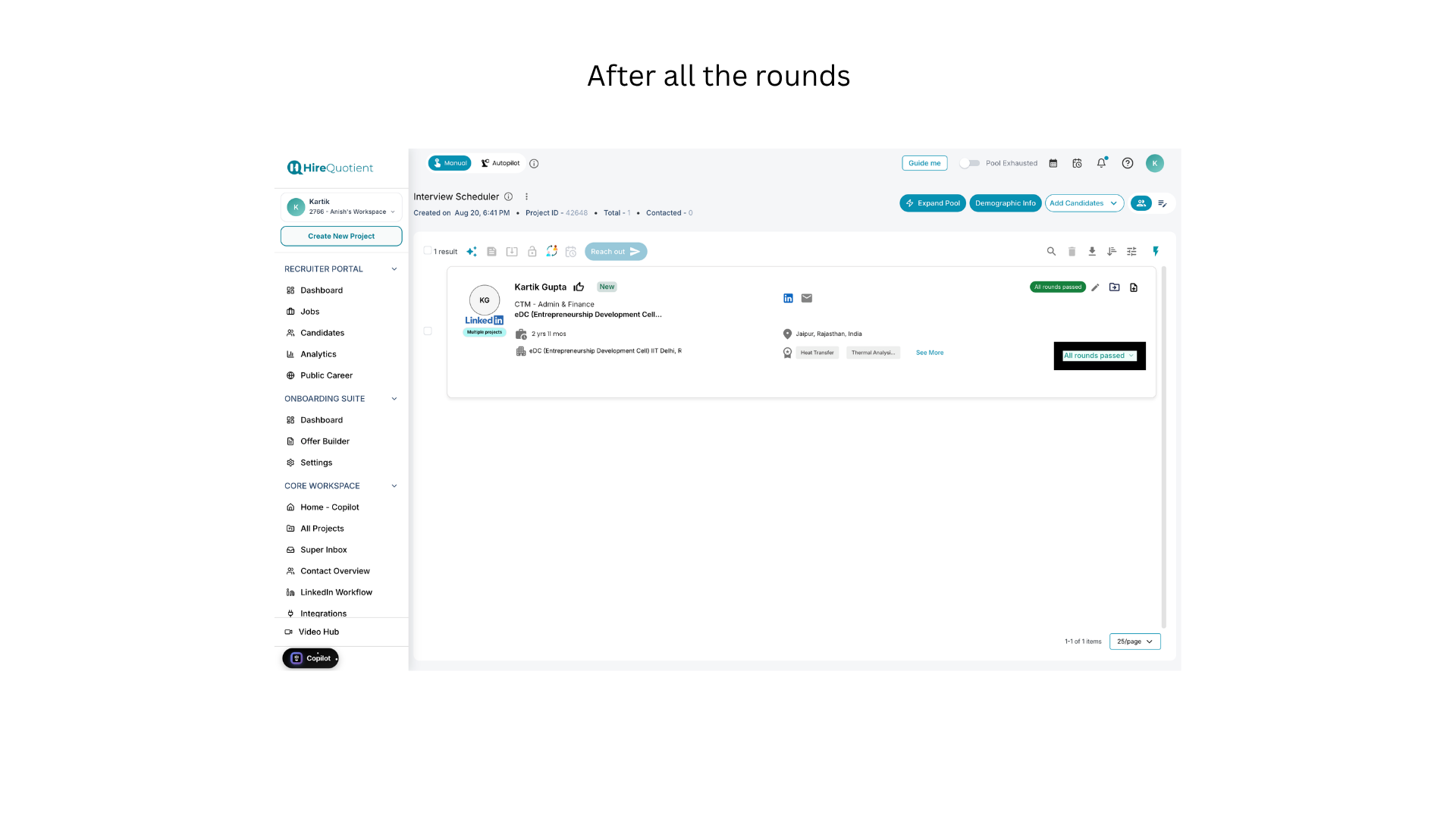
- 1Find the candidate at the All Rounds Passed stageOn your project page, the candidate shows a green "All rounds passed" tag and the same label on the stage control, with no "Schedule Round N" button left — every round is done. If a "Round N" label still shows, one round is outstanding: select the candidate and open the interview settings icon to see which.
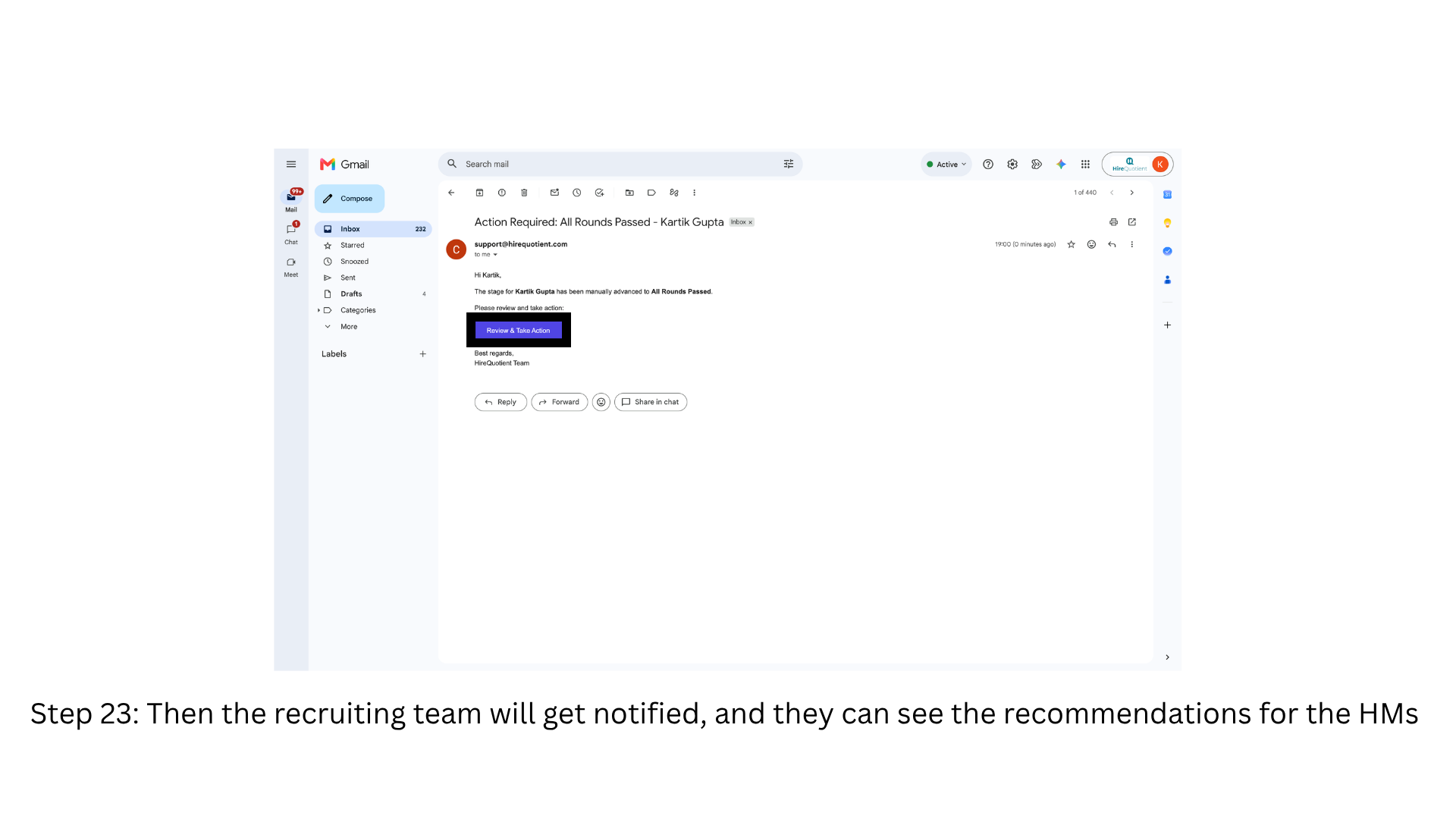
- 2Open the consolidated summary from the emailThe recruiting team is emailed a consolidated summary of the whole interview flow, from support@hirequotient.com with the subject "Action Required: All Rounds Passed" and the candidate's name. Select "Review & Take Action" to open it — no login needed, so whoever receives the mail can decide from their inbox.
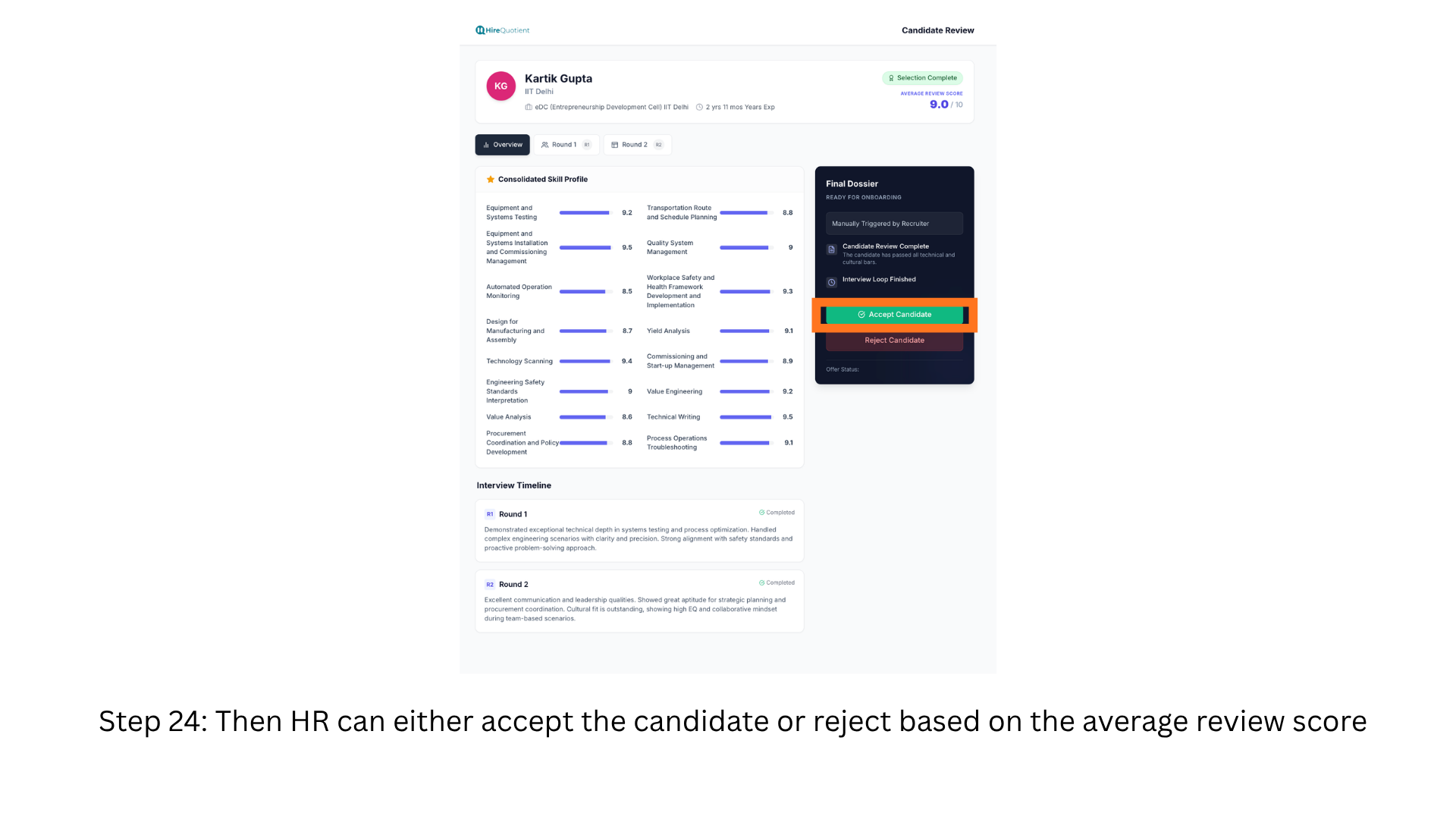
- 3Read the consolidated review and decideThe Candidate Review page gathers the loop's output: a "Selection Complete" tag, the AVERAGE REVIEW SCORE out of 10, tabs per round, the Consolidated Skill Profile, and an Interview Timeline with each round's recommendation. Decide from those recommendations and the average score, then use "Accept Candidate" or "Reject Candidate" in the Final Dossier panel.
- 4Confirm the acceptance in the Final DossierAccept Candidate updates the Final Dossier in place: the heading becomes "CANDIDATE ACCEPTED", a confirmation reads "Candidate accepted successfully. Moved to HR Accept stage.", and Offer Status turns to "Pending Approval" — no offer has been sent yet. The buttons disappear once recorded. Reject Candidate instead sets the stage to "REJECTED BY RECRUITER".
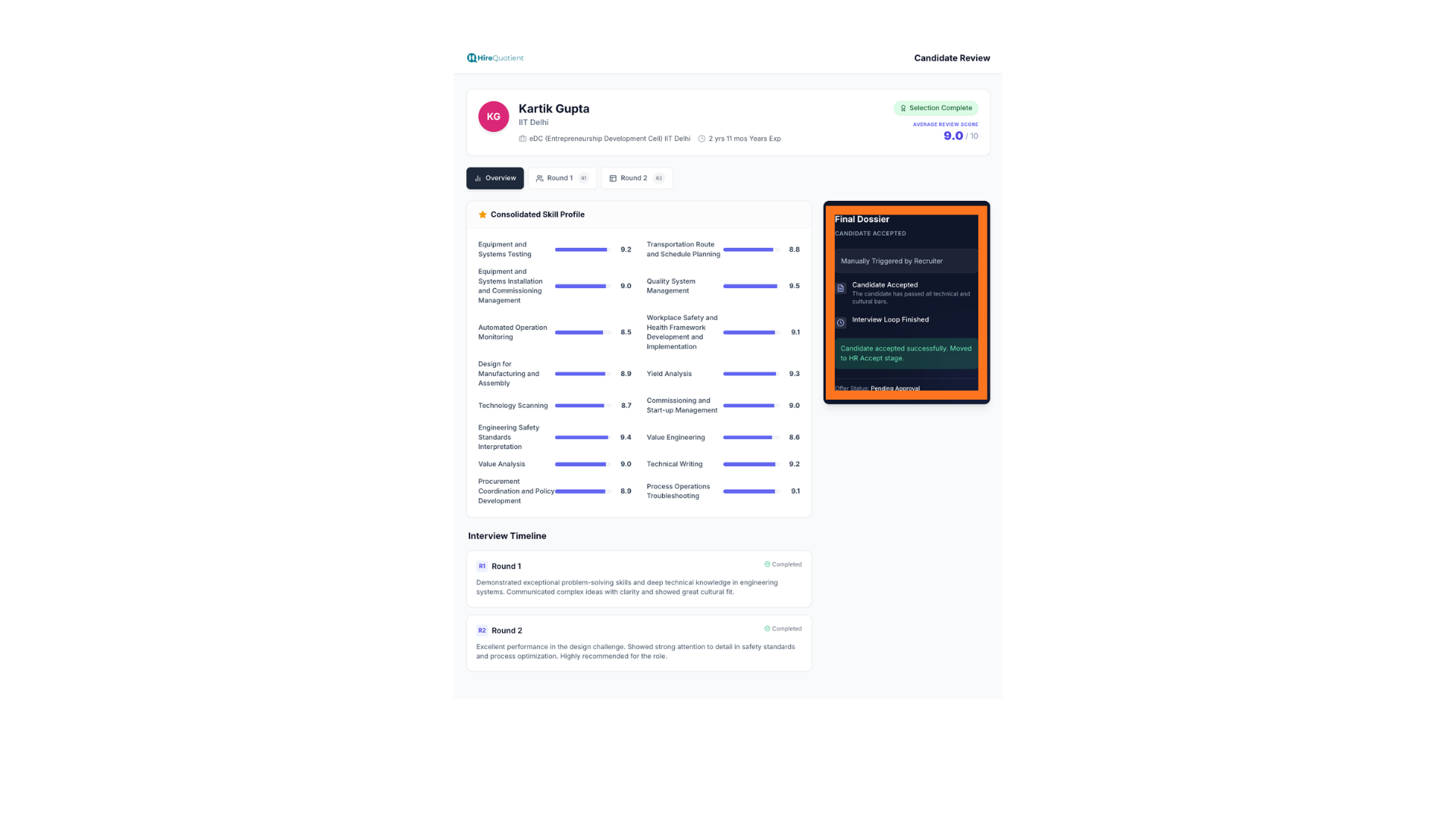
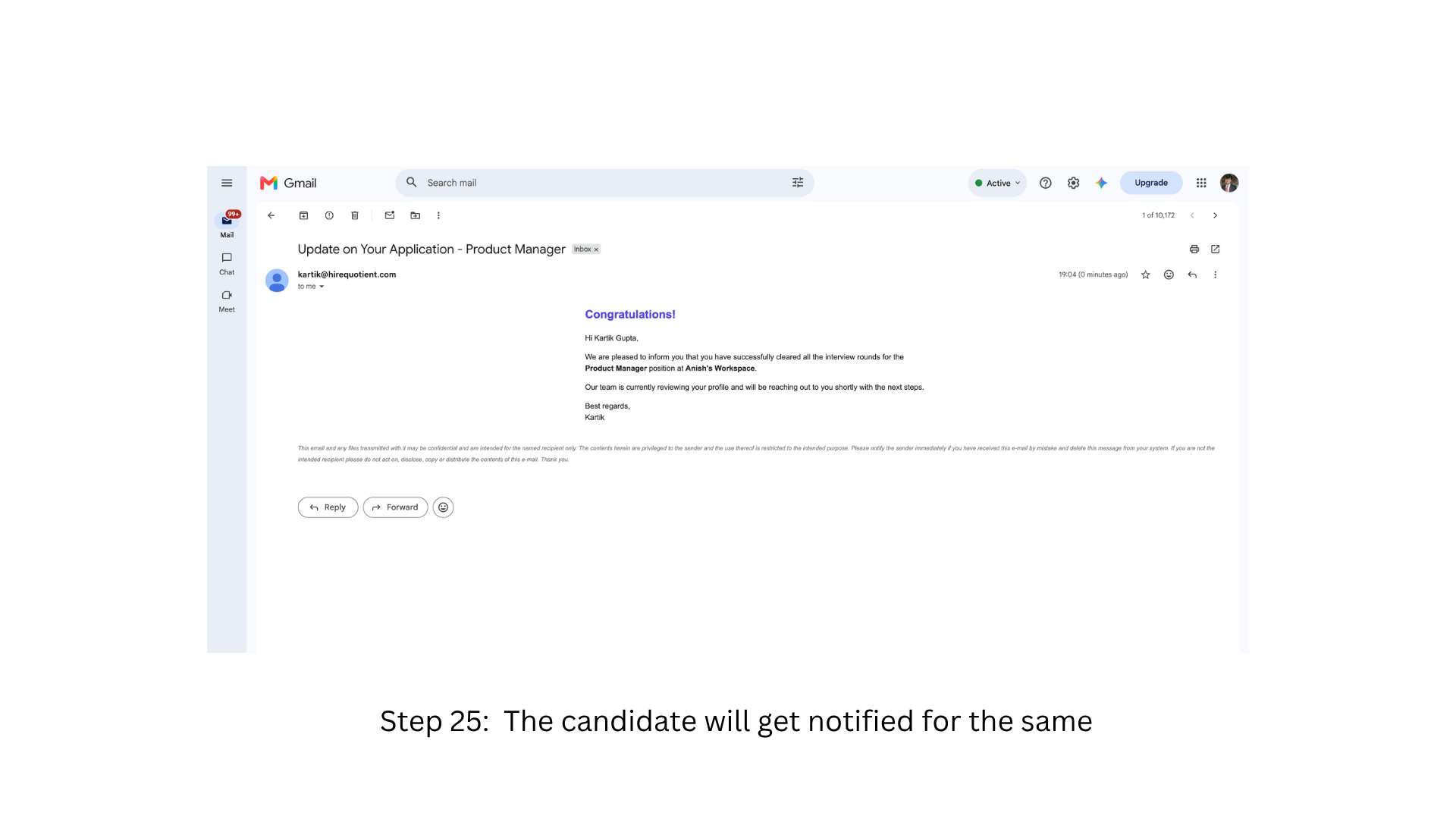
- 5Candidate is notified that they cleared all roundsAccepting also emails the candidate, from the recruiter's address, an "Update on Your Application" message with the role: they cleared all interview rounds and the team will reach out with next steps. It makes no offer and quotes no compensation, and needs no action from the candidate.
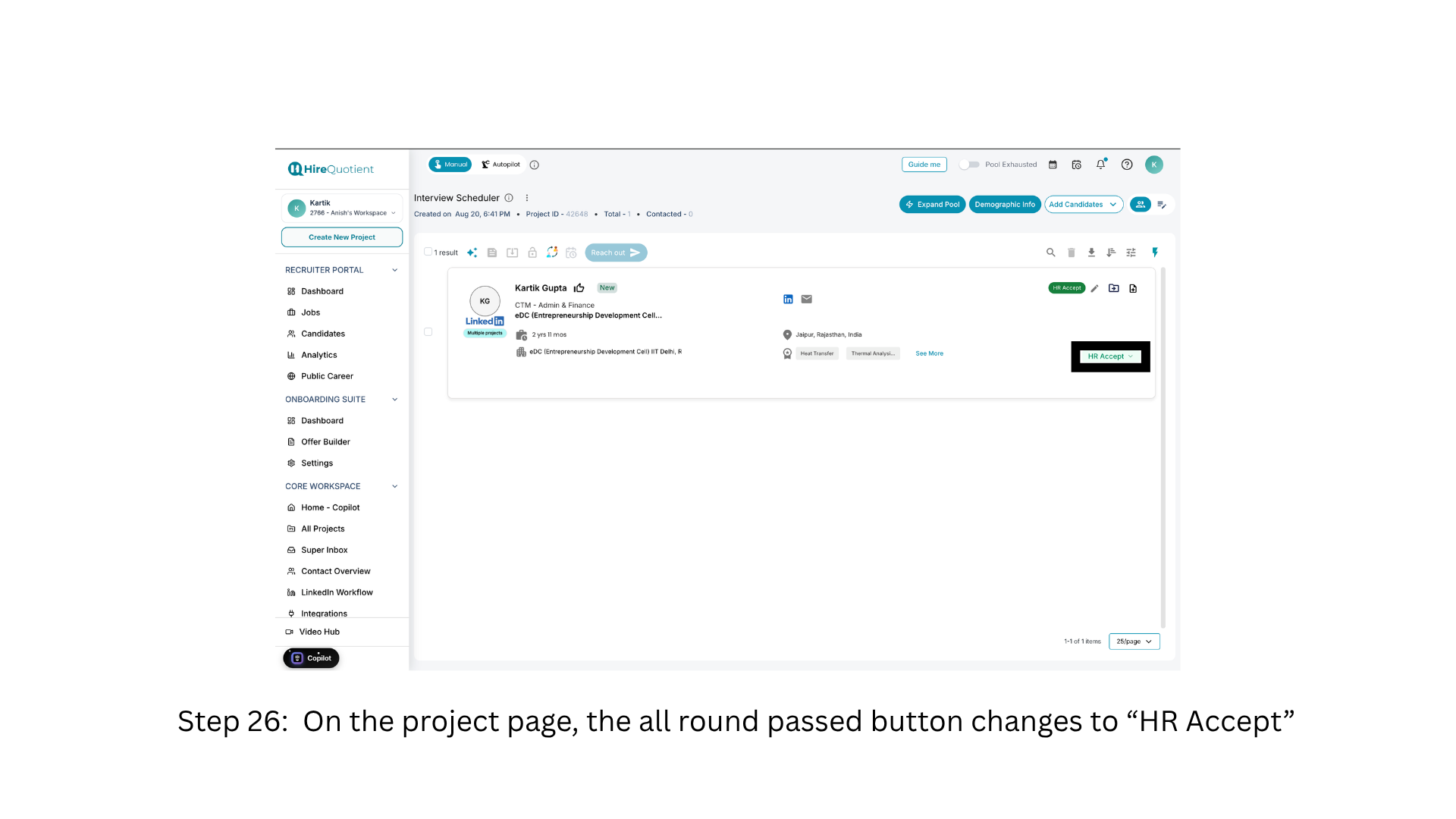
- 6See the project stage change to HR AcceptOn the project page the tag and stage control now read "HR Accept"; a candidate row's button always names their current stage. The candidate is at "HR ACCEPT" with next step "Extend Offer" and appears in the Onboarding Suite dashboard. Beyond this series the flow continues through the offer, an optional background check, and hired.