
Publish jobs to the careers page
The approval flow for Member jobs, direct publishing for Admins, internal jobs, and editing live jobs.
A member posts a job to your careers page
Priya has written a "Customer Success Manager" job for your public careers page. As a Member, she needs approval first.
Request to Publish -> Awaiting admin approval -> Live on careers page or Not published
- 1Submit (Member with Write on Recruiter OS)1. In Recruiter OS, create a job. 2. Posting type: External Career Page ("Listed publicly on your career page. Candidates can find and apply to it."). 3. Fill in the details and click Request to Publish. 4. The card shows Awaiting admin approval to publish on careers page. Admins and job approvers are emailed. What a Member sees in Jobs. Pending cards are awaiting approval, Active cards are live on the careers page, and a Rejected card shows the Admin's feedback.
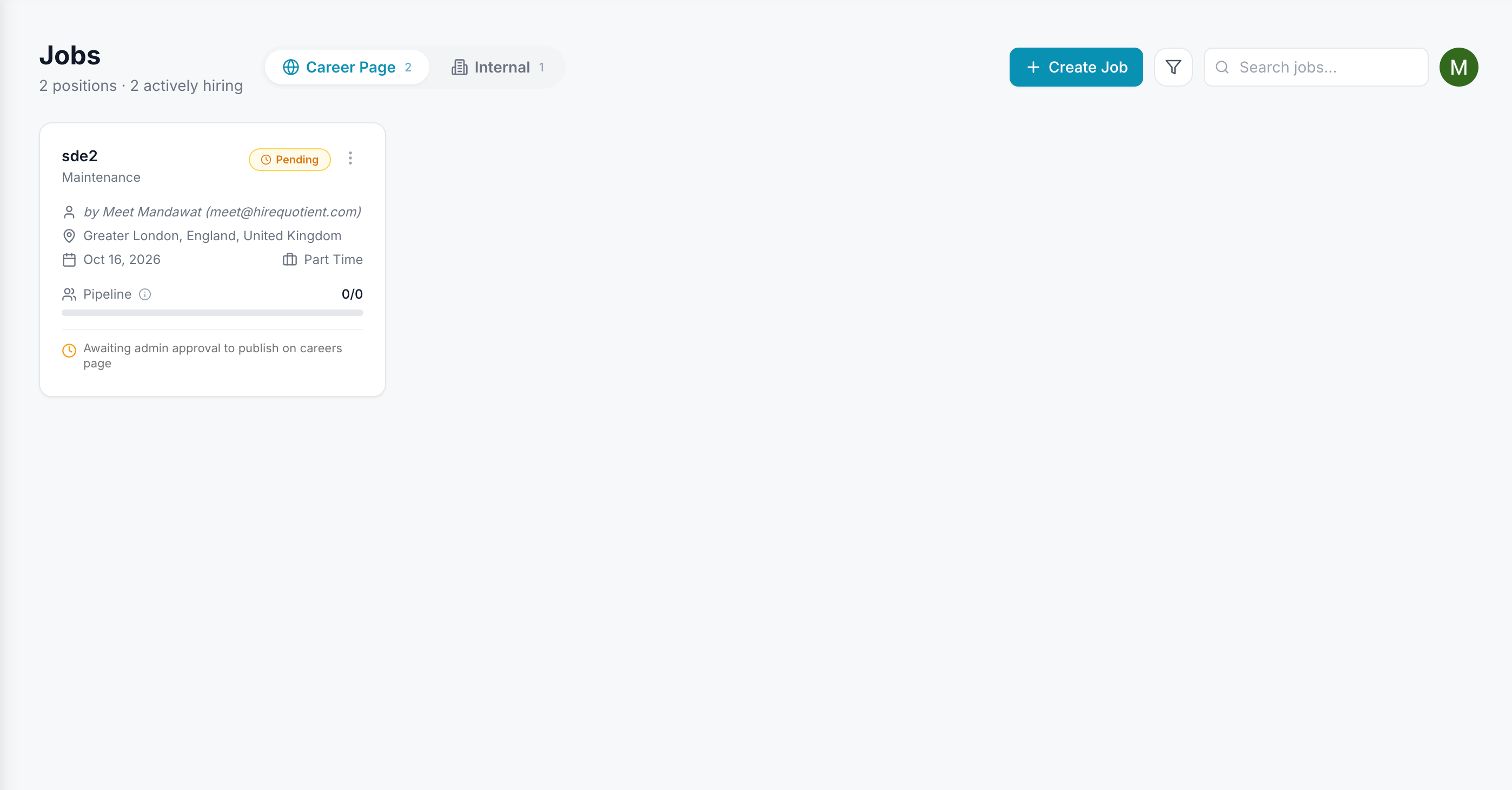
- 2Review (Admin / approver)1. Recruiter OS -> Active Jobs -> find the pending job. 2. Approve: pending cards show "Publish to careers page?" with two buttons. Click Approve and confirm. The job shows Live on careers page with a Copy link button. 3. Reject: click Reject and choose either "Yes — request edits from creator" (Priya sees your feedback, edits and resubmits) or "No — just reject and close this job". What an Admin sees. Each pending card has Reject and Approve right on it.
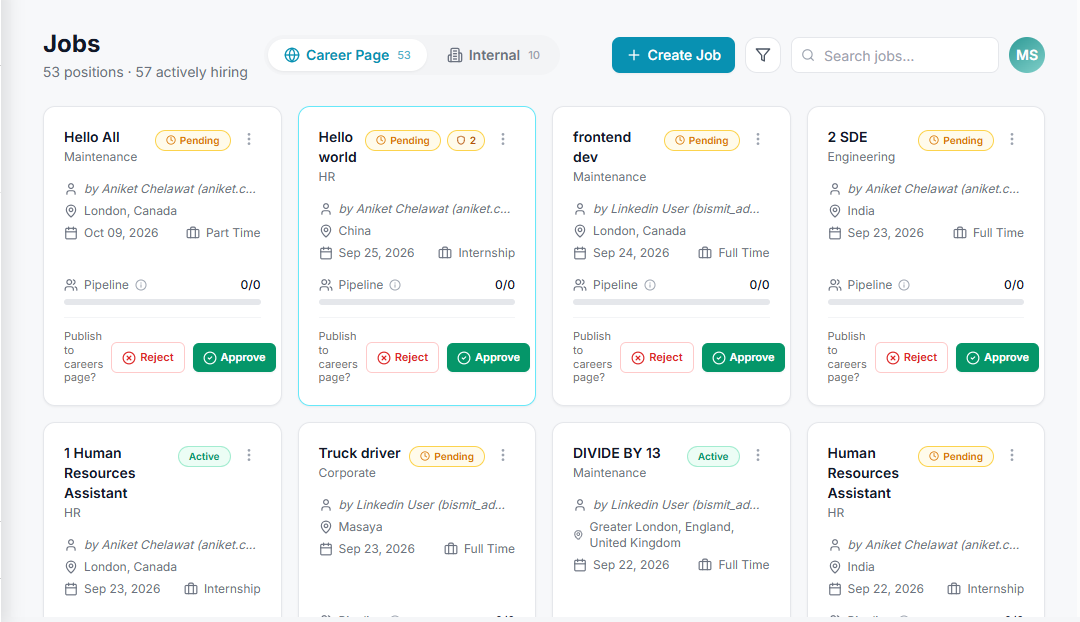
Editing a job after it's live
A Member -> Back to Awaiting admin approval until approved again.
An Admin or job approver -> Stays live; no new approval.
An admin posts a job directly
An Admin creates a "Head of Marketing" job.
Done by Admin
1. Recruiter OS -> create the job -> posting type External Career Page.
2. Click Publish. With a future posting date, the button reads Save Schedule and the job goes live on that date.
Result: No approval step. The job is live on your careers page immediately, or on the scheduled date.
Post an internal job
Choose posting type Internal Job: "Never listed on your career page. Source candidates into the pipeline yourself."
Posted by an Admin -> Active immediately.
Posted by a Member -> Awaiting admin approval until an Admin approves.
Result: Internal jobs never appear on your careers page.